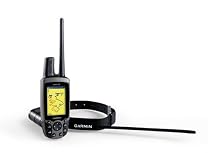
Garmin Astro Bundle 220 Dog Tracking GPS


An Upgrade from their earlier astro (orange box style)5

This astro should be pointed out that its fixed many of the bugs those of us early adopters encountered (like using velcro to attach anything to a dog was mistake 1).


The early versions featured an orange "box" with a non-amplified antenna built into the top of it plus a li-ion battery. You got a velcro harness to hold it on the dog and keep it pointing skyward. After 2-3 trips the velcro was full of hair and the antennas were being broken by anxious dogs racing through brush.


Garmin re-designed the astro and fortunately for us all we had to do was buy the upgraded collar design. The (now black) collar works the same but features an amplified antenna on top the electronics box down below where it naturally hangs and an improved longer antenna with better range (about 25% better in my testing)


From the top of one mountain I can now find my dog 7.48 miles away with almost full signal strength so this really works. Getting to the dog is another matter.


The collar transmits either every 5 10 or 30 seconds. 10 is a good value as you get about 2 days of use from the transmitter before the battery dies. 5 seconds will die in under a day (about 18 hours). These settings are made by placing the collar in close proximity to the handheld tracker and uploading them.


Finally for the radio folk the collar transmits on the MURS VHF frequencies at 2 watts digital. The frequencies are 151.82 151.88 151.94 154.57 (old analog radio channel - not a good choice) and 154.6 (same as 154.57) [all in MHZ]


The 151 frequencies provide the best range near towns becuase every fast food drive through uses the 154 frequencies to talk around. These correspond to the last 2 sets of 10 channels in the Astro.


If you are wondering how they get 10 channels on one frequency its simple - both the receiver and transmitter have GPS inside so they know EXACTLY when a second clicks by to a great precision. They then divide a time period (1 second) into 10 parts each 1/10 of a second long. Channel 23 for example specifies frequency 2 (151.94) and timeslot 3 - the 3rd 1/10 of a second after 0.00 seconds. Since the radio and the transmitter both know when the transmission will happen the radio tunes frequency 2 at 0.3 seconds after a second "ticks" to listen for the 1/10 second transmission from the collar.


The only problem with this is you can not put multiple collars next to each other as the receiver needs time to process the data it receives (about another 1/10 second) so if 151.94 is a good channel for you pick dog numbers of 21 23 25 27 and 29 if you have multiple dogs on one system or are hunting with another astro user. Also you can't have the radio tune different channels at the same time so don't pick dog A on channel 14 and dog B on channel 24 because their transmissions will be at the same time on 2 different freqencies.


Keeping those simple rules of separation in mind you can track alot of dogs a long ways with Astro.More detail ...

LandAirSea LAS-1505 Tracking Key Vehicle GPS Tracking System


Excellent System at Low Cost5

I was really suspicious when I went GPS shopping because I'd heard so many problems about metal blocking signals and so forth. I put the tracking key through all kinds of tests in my van hiding it upside down under the seat inside the dash stashing it back inside the compartment for the jack surrounding it with metal and pointing it in all different directions (it recommends you keep it upright but I found it doesn't make a difference this thing still works perfectly!). It's only disadvantage is that as a data logger you have to retrieve it before you get the tracking info to download to your computer. The battery lasted me about two weeks of regular driving though so it more than compensated. But yeah as a first time buyer of a tracking device and thorough tester I was highly impressed. It shows on an overhead map (adjustable to satellite images with Google Earth!) the exact path the vehicle took or an animated time-clocked journey showing where it went how long it stopped when it took off again. No matter how deeply I hid it in the car it never lost my signal once. Shop around a little bit to avoid overcharging companies and you might want to wrap a piece of black electrical tape on the green battery light on the outside of the case for better hiding. Definitely an excellent buy I'd recommend it to anyone with covert tracking needs.More detail ...

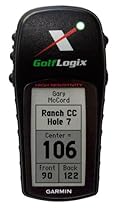
GolfLogix Garmin GPS


Works Very Well5

I purchased the Golflogix GPS instead of the more popular SkyCaddie because the Golflogix is made by Garmin. Obviously Garmin knows GPS. The unit is actually a re-packaged Garmin eTrex. It is very solid and sturdy. When I bought it I found that three of the courses that I play were not mapped. I requested them and in one week they were available. Fantastic. I have also submitted questions via email and have been answered promptly. The unit is small and easy to use. It will increment holes automatically when I walk to the next hole. Most of the time I do not need to press any buttons. I would definitely recommend Golflogix.More detail ...

TomTom GO 720 4.3-Inch Widescreen Bluetooth Portable GPS Navigator


The king of automotive GPS5

I really love the 720. I have tried the Garmin Nuvi and just didn't like the software nearly as much as the TomTom. Entering addresses is really fast and you only see towns in the state you are looking in. This means no more having to scroll through 30 different Springfields to get to the one you are searching for. You can hide the keyboard to see a long list of close matches so instead of having to type out the full city or street name you can just hit the first few letters and then pick from a list.


Mapshare seems like it will be a huge advance in the world of automotive GPS devices. Is a street marked as open when it should be blocked? Just correct the error with a few quick taps on the screen and it's fixed. What's really the big advance though is the ability to share my corrections with all other TomTom owners. I connect the 720 to the TomTom HOME software and it downloads corrections that other users have submitted.


What you see on the screen can be fully customized so that if you want the status bar on the side then you can put it there or you can leave it on the bottom. You can also decide what information is shown in the status bar. You can show or hide the time of day remaining time remaining distance current heading and your current rate of speed. If you subtract items from the status bar the other items automatically get bigger to take up the remaining space. You can also select if you want to show the current street you are on and the name of the next street you will be turning on to.


Text to speech quality is very good and will say the directions so for example it might say "in 250 feet keep right then take the exit right 204B towards Westview." Or "in 200 meters turn right South West Madison Avenue." You can choose from multiple voices although I think the Dave voice sounds the best of the bunch. If you don't want to hear the "keep to lane" instructions you can disable this feature although I personally like to have it on. You can also record your own spoken instructions so for example you could have your kid's voice tell you to turn left in 200 feet. I haven't tried this though.


The screen is very bright and easy to see even when I have my sunglasses on. The 720 can be set to automatically turn the brightness down as it gets dark thanks to a built in light sensor on the front of the unit.


The mount is pretty clever and super easy to use. Just push it up to the windshield and it sticks right on. The 720 then just slides right on and is held solidly in place. You can turn the 720 in any direction to get it exactly where it's easiest for you to see.


With all the great features of the 720 I think what will really set it apart even more from the other GPS units out there is the Mapshare feature. Being able to fix your own map and download updates automatically to keep the map up to date is one of those things that is so fantastically great that you wonder why on earth it took so long to make to a shipping product. Whether or not it can live up to the expectations remains to be seen. Even if you took Mapshare away it's still the best car GPS I've ever used. With it there's just no contest.


My biggest complaint is that there's no case in the box. You need to buy one separately although I've been using the plastic holder it shipped in so far which is OK. More detail ...

Garmin nuvi 270 3.5-Inch Portable GPS Navigator


GPS With European Maps5

The Garmin GPS was a godsend on our trip to Europe. If you have ever driven into cities or small towns in Europe you will know how difficult it is to navigate while trying to read foreign street signs dodging motor scooters and bicylists finding the right exit out of a around-about all the while being pushed along by the very aggressive drivers behind you. But with the GPS most of that stress goes away as you know when and where to turn and you drive through towns like a native. I was very impressed that even going through the miles long tunnels of the alps the GPS must be programmed to keep the unit tracking without a satellite signal because several minutes later coming out of the tunnel it still provides instructions. I purchased the pricier model 270 because of the factory installed European maps. If you purchased a GPS with only North America maps and had to load the European maps the cost of those maps would be another $250. It's less money to get the 270 or 370 with maps already loaded. The windshield mounting is excellent and worked well in the rental car. The Nuvi series GPS is convenient enough in size to be carried in the pocket for walking around the cities. But it does not work as well for pedestrian purposes because it cannot keep bearings well as you tend to rotate the device and it looses it sense of direction. I read all the reviews on GPS's and chose the Garmin because of it's higher ratings for search engine ease of use and maps. You will immediately become an expert user even without reading instructions with this device. It is literally that easy to use.More detail ...

Magellan Maestro 4700 4.7-Inch Widescreen Bluetooth Portable GPS Navigator


A Good Navigational Tool4

With an occupation that keeps me on the road a working navigational tool is a must have. Having gone through my fair share of slow and inconsistent GPS products ranging from Garmin TomTom and yes even Magellan through the years one must really do their homework. After researching several systems this model kept popping up on my radar screen.


Coming out of the box this unit worked perfectly without the usual hiccups of other systems that I have owned. Installation is simple. Downloading updates via the included USB cable was quick and without issues. Powering up is a breeze. Total time for entering starting point to destination is about 45 seconds. The One Touch screen is on the money. The menu allows for editing for one's own personal choices. I really have come to like the Predictive Traffic feature. In short it creates alternate routes for known traffic tie ups.


Even though this system is primed for Bluetooth not all mobile devices are compatible. The Maestro 4700 paired at times with two out of three of our cell phones. When it did pair connections were dropped a bit more often then expected and clarity was an issue. As usual my personal phone did not pair up at all with this system. Maybe its a great working feature with the right phone. Even if it did pair up with my go to phone I don't see myself giving up my wireless ear piece anytime soon. This feature rates 3 stars at best.


Like every GPS system before it Voice Command on this unit is simply a wasted feature that works when it wants to. This add on alone receives a failing grade from me. On the other hand Spoken Street Name Guide with text to speech is clear and precise. The 3D Landmarks add on is a nice touch. I have yet to use the Find My Car feature. The free no membership required AAA Guide is loaded with great up to date information.


The Maestro 4700 measures in at over 5" wide x 3.5" height and weighs about 6 ounces. The biggest draw for me personally is the large 4.7" color touch screen predictive traffic and the lane guide arrow features. Unlike previous models that I have owned the Maestro 4700's screen is viewable in all lighting conditions. The user friendly one touch interface is definitely a winner.


Quick Spell automatically fills in the blanks and makes locating a destination easy. One of the sweetest features is the lane guide arrows (Highway Lane Assist) program that sounds a bell when my next turn is coming up. It quickly guides me into the correct lane without the usual "Oops how did I miss that exit?"


The Maestro 4700 comes preloaded with maps of the USA Canada and Puerto Rico. Additional maps can be stored on board via SD Card. Included accessories are a windshield mount storage pouch dash mounting disk car power adapter handbook USB cable and an informative CD. I recommend buying a good protective case. Magellan loses major style points for not including an AC power supply plug. Unplugged the battery provided me a little over 2 hours of power.


As with most electronics this system includes the standard 1 year warranty. If it is returned within the applicable warranty period Magellan will replace the defective unit. Most likely the buyer will receive a reconditioned unit of the same model or at the company's discretion another model of lesser value. I know this from personal experience. Both Magellan and Garman share this replacement policy.


Even though Magellan has made marked improvements on its GPS products the last couple of years its customer support has always lagged behind. After my latest chats with off shore customer support all I can say it still needs improvement. At best it ranks three stars.


The glitches I found with both Voice Command and Bluetooth pairing undoubtedly keeps the Maestro 4700 from garnering more then a four star rating. Even with those issues this product still delivers on the basics. For me that is more then enough. Its still an above average NAVAIDS tool.


***************

UPDATE:10.31.09

***************

I've owned this system for a few months now. I've driven cross country and back and also made my monthly run up the coast. The only issue that I have had is the age old problem with NAVTEQ maps. On more then one occasion the maps placed me in the opposite direction of my destination. I don't see the folks at NAVTEQ fixing this problem any time soon because it has existed for so long. NAVTEQ mapping was an issue on my other GPS products as well. I probably have a better chance of winning the lottery rather then waiting for the folks at NAVTEQ to fix their maps. Other then that my Magellan 4700 GPS is still on the job and doing what it does best. More detail ...

Garmin eTrex Venture HC GPS Receiver


An outdoor GPS receiver as revolutionary as the original eTrex5

Before buying this new Venture HC I had spent many hours trekking with several of the original eTrex models over the years. I think it's fair to say that while the concept of the original eTrex was great the execution was frequently disappointing.


It disappoints no more. The Venture HC is the eTrex perfected. It remedies almost every shortcoming that plagued the original models. The new high-sensitivity receiver is amazingly effective. Countless times I've stood in wide open spaces cursing my old eTrex because it wouldn't acquire a single satellite. Last night I turned on the Venture HC on the bottom floor of my two story house and it locked onto 8 satellites...through the roof and the upper floor! No more "need a clear view of the sky" messages. Amazing.


The old monochrome display has become color and the user interface is now substantially more intuitive while adding even more functionality. The cable which was serial on previous models has been upgraded to USB another welcome improvement. The case is somewhat wider than before but the design bears a strong resemblance to the original eTrex.


A basemap is included but it's just that - basic. It shows the largest highways bodies of water and has some limited capability to display highway exit services. If you need turn-by-turn street directions an eTrex is not for you. This is a GPS receiver true to Garmin's outdoor GPS heritage.


Promised battery life (14 hours) is near the bottom of the range when compared to the existing eTrex models but is still perfectly adequate and has posed no problems.


One weakness that remains is Garmin's waypoint manager PC software. It has the feel and functionality of a software product released circa 1994. Garmin could certainly develop a better PC interface. For $49 you can buy ExpertGPS from Topografix or download the free version (EasyGPS)from their website. Either is far more functional than the Garmin OEM software.


Still the software criticism is a quibble. The Venture HC itself is great. It is a market changing product that renders all previous eTrex models (and many competitors) obsolete. Finally an affordable outdoor GPS receiver that I can wholeheartedly recommend.

More detail ...